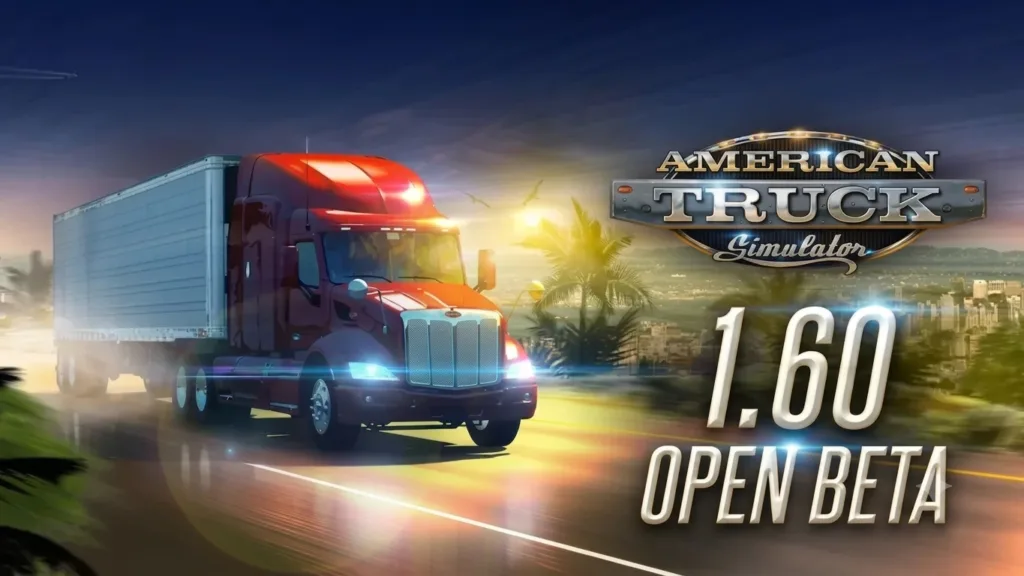
ATS 1.60 Open Beta – Try New Features Before Official Release
The team at SCS Software excitedly shares that the 1.60 Open Beta for American Truck Simulator is now available for players to try. If you decide to join the beta, the team would really appreciate it if you report any bugs or issues you encounter in the appropriate section of the official forums.
Player feedback plays a huge role in helping the development team improve the game. The team truly values the time and effort players put into testing these new features and changes. Let us dive into what you can expect in the ATS 1.60 Open Beta update.
Game Radio – Five Unique Stations for Your Journey
With Update 1.60, the team introduces Game Radio, a brand-new in-game radio system designed to make every drive feel more immersive and authentic. Rather than just playing music, Game Radio gives players five stations with their own distinct sounds, identities, and moods. Each station shapes the atmosphere of your journey in a different way.

At launch, players can tune into Rust FM, Escape, PUMP IT!, Pop Gear, and Roadio. The stations span guitar-driven rock, American roots music, electronic, pop, and lo-fi. Each station features carefully curated tracks, handpicked to hold up across many hours on the road. Escape is also the only stream-safe station at launch, designed to help content creators avoid copyright claims.

Game Radio also introduces a new in-game widget displaying station info, track titles, and artist names while driving. Players can customize widget behavior through the Widget Options menu (F6). This update also brings a range of improvements to the existing radio and music player systems. Game Radio arrives with its musical foundation in place, with more planned for future updates. You can find more information about Game Radio in the dedicated blog post.
Improved Material System – Better Interior Lighting
The Improved Material System significantly improves the lighting and visual quality of vehicle interiors in selected trucks. Its main focus is enhancing how interior materials react to light. The result is a more readable, detailed, and visually pleasing cabin environment.


During the development of Project Road Trip, the team implemented a wide range of visual and technical improvements. One of the most significant changes was a redesign of the materials used in vehicle interiors. The new system makes differences between materials such as leather, fabric, plastic, and metal far more apparent, even in low-light conditions. The solution uses multiple variants of dynamic cubemaps, allowing all materials to reflect their surroundings more naturally and respond to ambient light in a more realistic way.

The entire system was designed from the start with truck interiors in both games in mind. The base games and their existing fleets will gradually benefit from these improvements as well. The first trucks to benefit from the Improved Material System in ATS are the Mack Anthem and the Western Star 49X. With future updates, the team will gradually add this technology for other trucks across both games. You can read more about this feature here.
Light Tweaks – Visual Refinements

The team has carried out minor adjustments to global lighting. The adjustments focus primarily on exposure and contrast balancing. The update also includes subtle visual refinements for bad weather conditions. The work mainly consisted of smoothing out and polishing the overall visuals to achieve a more consistent and refined look.


Players’ Company Paint Jobs – Customize Your Fleet
After over a year of development as a passion project for the ATS community, players can now customize their trucks and trailers with a brand-new collection of company-themed paint jobs. These designs are inspired by the selectable company identities available when creating a driver profile. The paint jobs bring a more cohesive and professional visual style to your fleet while fitting naturally into the world of ATS.


One of the biggest focuses during development was ensuring that every paint job feels unique depending on the trailer type. Rather than using one design across all trailer models, the teams carefully adapted each company’s paint scheme to match the shapes and details of different trailer types. Whether hauling cargo with a tanker, transporting materials in a dumper, or pulling a traditional box trailer, each variant features its own tailored details and layout. You can find out more in the blog here.
Job Details Widget – Essential Info Without Pausing
Based on feedback from the #BestCommunityEver and upcoming widget designs, the Job Details Widget arrives with the 1.60 update. Its primary purpose is to enable a new, more immediate, and concise way of displaying relevant job information. In response to community feedback, the GPS now displays the estimated arrival day and time, along with remaining travel time and distance.


Once added, players can enable the Job Details Widget through the Widget Options menu (F6). The widget displays key job information, including cargo type and weight, delivery location, job income (color-highlighted), and remaining time to complete the job. Players have this info available immediately without pausing the game. You can read more about the feature here.
Expanded Rest Mechanic – Full Control Over Rest Periods
This new feature gives players greater control over their rest periods. Drivers can choose how long they want to sleep and exactly when they want to wake up. The system no longer limits players to a predefined rest duration.

Alongside this change, the Fatigue system splits into two separate values: Rest State and Mandatory Break. Each value has its own icon in the UI. The Rest State, symbolized by a bed icon, gradually depletes rather than recovering over time. Extended periods of driving steadily reduce the Rest State, while resting restores it at a faster rate.


The Mandatory Break system operates more strictly. It is indicated by a “P” icon along with the remaining hours before a required stop. In American Truck Simulator, drivers can stay on the road for up to 14 hours before taking a mandatory break. After that break, drivers need 10 consecutive hours of rest. You can read more about this feature here.
Changelog – Complete List of ATS 1.60 Open Beta Features
Vehicles:
- Players’ Company Paint Jobs
Visual:
- Improved Material System
- Light Tweaks
Sound:
- Game Radio
UI/UX:
- Job Details Widget
- Expanded Rest Mechanic
Enjoy all the new additions, but please remember: this is only an open beta, not a stable public version. Players may encounter bugs, instability, or crashes. It is completely okay to wait for the final release. If you are interested in helping the team get there faster, the developers appreciate all feedback on the forum and bug reports in the dedicated section.
Please check the modding wiki for details pertaining to mods for the game.
How to access the ATS 1.60 Open Beta: Steam client → LIBRARY → right-click on American Truck Simulator → Properties → Betas tab → Beta Participation drop-down menu → public_beta. No password is required. Sometimes you will need to restart your Steam client to see the correct branch name.
Check out our other recent updates: Game Radio announcement and Improved Material System details.
Add American Truck Simulator to your Steam wishlist to stay updated on all new features!
Be sure to stay connected with SCS Software on X/Twitter, Facebook, BlueSky, YouTube, and Instagram. Also consider subscribing to the newsletter so you do not miss any future updates. Stay safe and happy truckin’.